Patterns for Terms & Conditions
- Desktop (15)
- Tablet (0)
- Mobile (2)

359. Discord - Button to Input Transition
This pattern allows users to seamlessly transition from a clear call-to-action button to an input field, streamlining the path to engagement.
354. Figma - Floating Form with Steps
Desktop, Feedback, Consent, Awareness, Web, English, Text Input, Side Panel
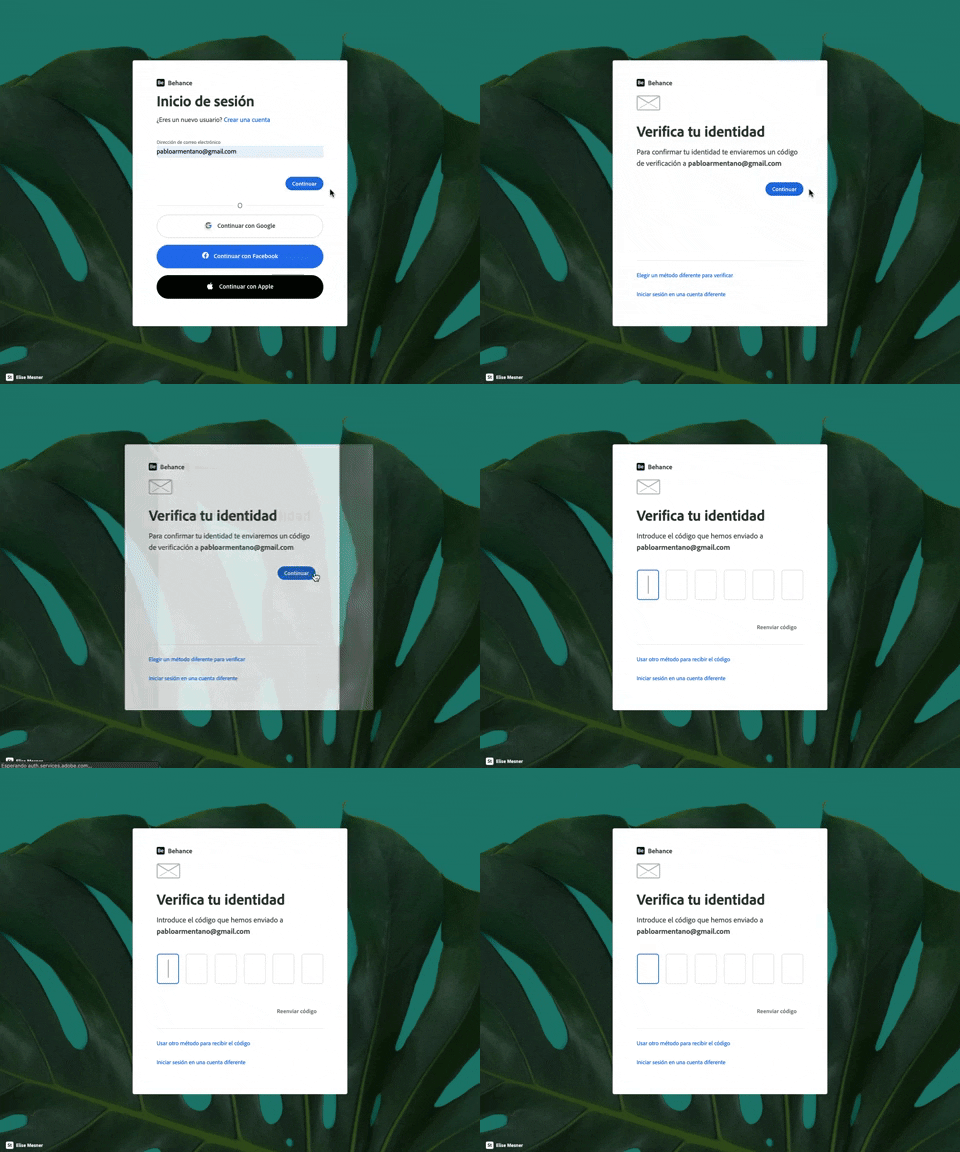
343. Behance - Login with Code Validation
Users input their email for login, then receive and enter a validation code to securely access their account.
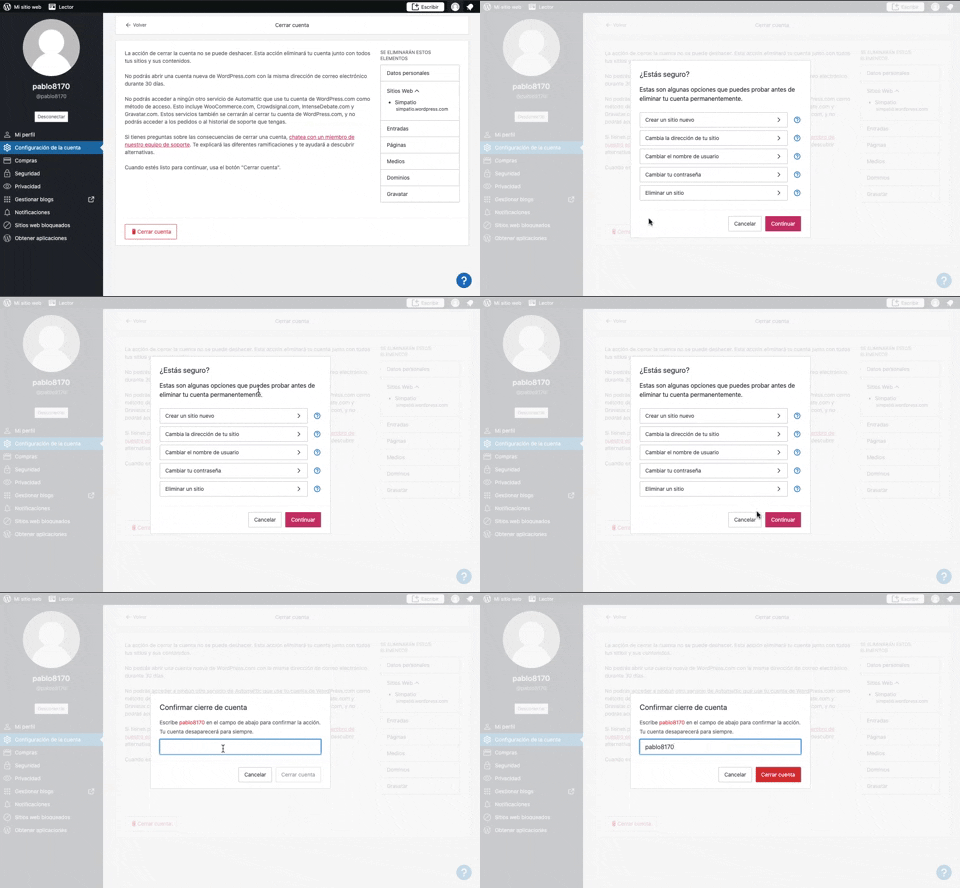
319. Modal Blackout w/ Multiple Choice
This pattern uses a modal blackout to confirm a user's intent to close an account, ensuring they understand the irreversible consequences before proceeding.

169. Youtube Studio - Delete Content Forever
Users can manage their uploaded video content, including visibility, restrictions, and upload dates, to maintain an organized channel.

161. Apple - Two-Factor Validation (2FA)
This pattern allows users to securely log in to their iCloud account by entering their Apple ID, with an option to stay signed in for convenience.

145. Communication Preferences on Sign Up Flow
This pattern gathers essential user contact information, including first name, surname, and email address, to facilitate account creation and future communication.

Uink Digital Agency
Specilist on building and launching digital products. Let's talk!

147. Linked Settings for User Permissions
This pattern allows users to quickly understand and modify granular permissions for a selected user, ensuring precise control over access levels.

208. Checkbox for User Confirmation
A checkbox provides clear visual confirmation of a completed step, guiding users through onboarding or multi-stage processes with immediate feedback.

25. Apple - Two-factor Auth
This pattern enables users to securely access their Apple ID by entering their email, with an option to remember the account for future convenience.

119. PrestaShop - Site Cookie Management
This pattern presents a clear cookie consent pop-up, allowing users to accept or manage cookie preferences for a transparent and compliant browsing experience.

126. WeTransfer - In-front Site Terms
This pattern presents a prominent, in-front modal to users, requiring explicit acceptance of terms and conditions before they can proceed with site interaction.

36. Scroll Required for User Confirmation
This pattern ensures users fully review important terms by requiring them to scroll through content before enabling a confirmation action.

19. Twitter - Email Validation on Sign Up
This pattern enables users to create an account by providing their name and email, with real-time validation ensuring data accuracy and a smooth onboarding experience.

10. Dedicated Screen for Action Confirmation
This dedicated screen ensures users explicitly confirm or deny third-party access to their LinkedIn data, promoting transparency and control over personal information.